背景
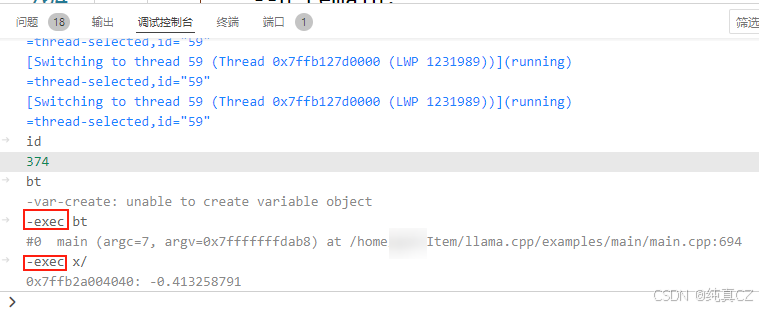
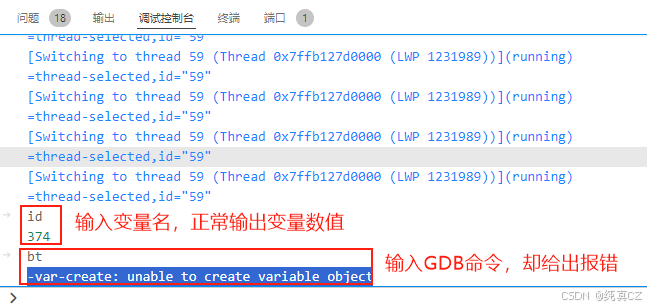
在使用VSCode进行GDB调试时,想使用x命令看一下某地址处的数值。然而,却给了报错而不显示:
-var-create: unable to create variable object
这是啥原因呢?
解决方案
其实,在刚刚开始调试程序时,就以黄色字体给出了解决方案。
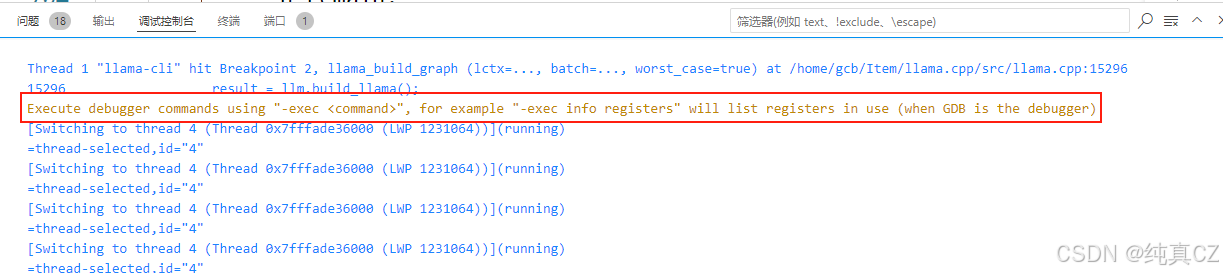
Execute debugger commands using "-exec <command>", for example "-exec info registers" will list registers in use (when GDB is the debugger)
也就是说:
- 如果是想查看某个变量的值,直接在输入框里输入变量名就好了;
- 如果要执行GDB命令,则需要加
-exec前缀。